
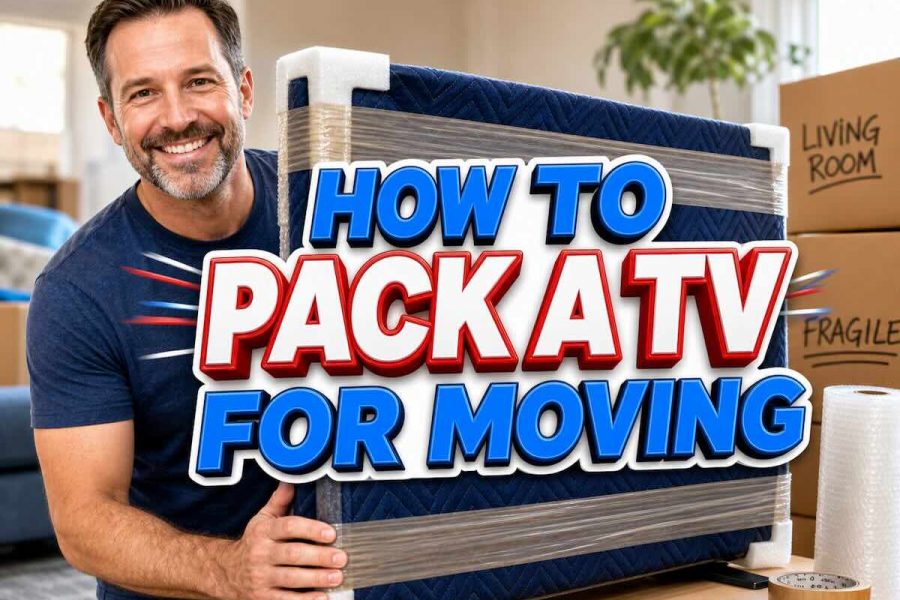

Flat-screen televisions are among the most consistently damaged items in a household move, and the cause in most cases is the same: the screen was laid flat, inadequately wrapped, or placed in a box with room to shift during transit. This guide covers every step of packing a TV for a move, from measuring and gathering materials through wrapping, boxing, loading, and arrival at the new address.
Key Points: How to Pack a TV for Moving
- Always transport a flat-screen TV upright, never flat. A flat-screen television laid horizontal has no structural support against its own weight. The internal panel layers that make up an LED, OLED, or QLED screen are not designed to bear that weight across a long span, and transit vibration while the TV is lying flat produces internal panel cracking that does not always show up as a clean break — it shows up as spreading dark patches or dead zones after the TV is powered on at the new address.
- Use the original manufacturer box whenever it is available. The original box is engineered to the exact dimensions of that specific television and comes with foam corner inserts designed to absorb the impact forces most likely to damage the unit during shipping. A TV packed in its original box with original foam inserts is more protected than the same TV packed in any aftermarket box regardless of how well it is wrapped.
- Never allow packing tape to touch the screen directly. Packing tape applied directly to a flat-screen panel pulls the anti-glare coating and the top protective layer off the screen surface when it is removed, leaving permanent marks. All tape should be applied to wrapping material only, never to the screen itself.
- Protect all four corners with foam corner protectors. Corners are the most structurally vulnerable part of a flat-screen television during a move. A corner impact that would leave a cardboard box with only a dent transfers the full force directly to the screen panel and the internal frame. Foam corner protectors absorb that force before it reaches the television.
- Fill all void space in the box completely. A television that shifts inside a box during transit collides repeatedly with the box walls at every bump, turn, and stop. Even a well-wrapped screen sustains panel damage from repeated lateral impact inside a box with room to move. The TV should fit snugly enough in its box that it cannot shift when the box is tilted from side to side.
- Label the box on all four sides and the top. Mark FRAGILE, THIS SIDE UP, and DO NOT STACK on every face of the box. Anyone handling the box during loading, transit, or unloading should be able to identify the orientation and handling requirements without searching for the label, which means it needs to be visible from every angle rather than marked on one side only.
What You Need to Pack a TV for Moving
Gathering all materials before beginning the packing process is important because a television in a partially wrapped state cannot be safely set down or left standing unattended during a supply run. Collect everything on the list below before unplugging or dismantling anything.
| Item | Purpose |
|---|---|
| Original TV box with foam inserts, or a purpose-made flat-screen TV moving box in the correct size | Primary container sized to the television’s dimensions; prevents the TV from moving laterally inside the box |
| Foam corner protectors (four pieces) | Absorbs corner impact forces before they reach the screen panel and internal frame |
| Bubble wrap (at least two to three layers worth for the full screen area) | Primary screen cushioning layer; distributes impact forces across the screen surface rather than concentrating them at a single point |
| Moving blanket or furniture pad (at least one) | Outer protective layer over the bubble wrap; protects the bubble wrap from tearing and adds a second cushioning layer |
| Flat-screen TV cover (optional but recommended) | Soft fitted cover that goes directly over the screen surface before bubble wrap application; prevents scratches from the wrap itself on sensitive screen coatings |
| Mover’s stretch wrap | Secures foam corners and wrapping layers in place without applying tape directly to the television surface |
| Packing tape | Sealing the box; never applied to the TV screen or body directly |
| Microfiber cloth and screen cleaner | Cleaning the screen before wrapping so dust particles do not scratch the surface under bubble wrap during transit |
| Labeled zip bags (two or three) | Storing the remote, cables, power cord, stand hardware, and mounting screws so none are lost during the move |
| Packing paper or crumpled newspaper | Void fill inside the box around the wrapped TV to prevent shifting |
| Silica gel packets (two to four) | Moisture absorption inside the box during long transit or storage; prevents condensation damage to the panel and electronics |
| Permanent marker | Labeling the box on all sides with FRAGILE, THIS SIDE UP, and DO NOT STACK |
How to Measure Your TV for the Right Box Size
TV moving boxes are sold by the diagonal screen measurement in inches, which is the same number used to describe the television’s screen size. A 65-inch television needs a TV moving box rated for 65 inches. Measure the full assembled television including the stand or legs before purchasing a box, since the stand adds height that affects whether the TV will fit in a box sized for the screen alone. If the stand is being removed and packed separately, measure the screen only. Purpose-made flat-screen TV moving boxes are available at U-Haul, Home Depot, Lowe’s, and most major moving supply retailers in sizes covering 32 inches through 85 inches. If the television is larger than 85 inches, contact a moving supply retailer about custom TV boxes or inquire with a professional moving company about custom crating for oversized screens.
How to Prepare a TV Before Packing It
Preparation before any wrapping begins takes approximately 15 minutes and prevents several categories of damage and reassembly problems that show up after the move.
Clean the Screen Before Wrapping
Clean the screen with a microfiber cloth and a screen-safe cleaner before applying any wrapping material. Dust particles, fingerprints, and debris trapped under bubble wrap or a moving blanket during transit act as abrasives against the screen surface as the wrapping shifts with truck vibration over the course of the move. The cleaner must be alcohol-free and specifically labeled as safe for flat-screen use; household glass cleaners contain ammonia or alcohol that damage anti-glare and anti-reflective coatings on modern flat-screen panels. Wipe in a single direction rather than circular motions to avoid spreading particles across the surface.
Photograph All Cable Connections Before Unplugging
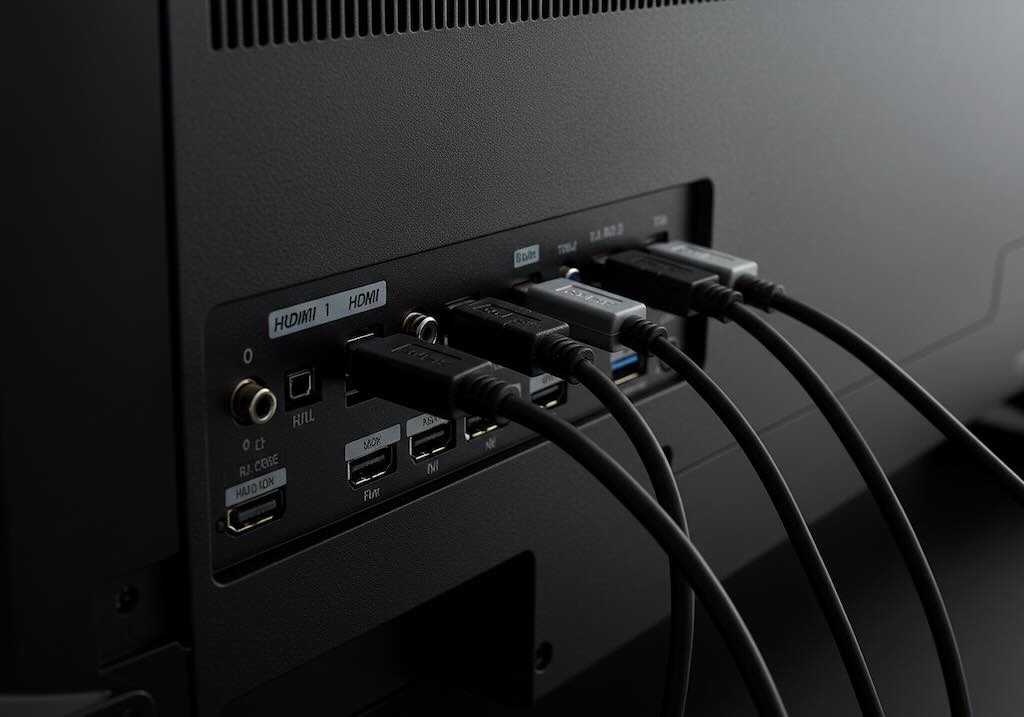
Photograph the input panel on the back of the television before unplugging any cable. A television connected to a soundbar, a streaming device, a gaming console, and a cable box can have eight or more cables entering and exiting the rear panel, and reassembling those connections from memory consistently takes significantly longer than reassembling them from a clear photograph. After photographing, unplug all cables and coil each one individually. Label each cable with a numbered piece of tape and store all cables, the power cord, and the remote in a labeled zip bag that travels in the family car rather than in the TV box, so the cables are accessible and undamaged regardless of what happens to the box during transit.
Remove the Stand or Wall Mount Bracket
Remove the television stand or base legs before packing whenever the stand is detachable. The stand adds height and weight to one end of the television and creates uneven stress on the screen panel during transit when the TV is upright in a box. Place all stand screws and attachment hardware in a small labeled zip bag and tape it to the stand itself rather than placing it loose in the TV box where it can shift against the screen. If the television is wall-mounted, remove it from the wall bracket according to the manufacturer’s instructions and keep all mounting hardware in a labeled bag with the bracket. The wall bracket should be packed separately rather than placed in the TV box.
How to Pack a TV Using the Original Box
The original manufacturer box provides the highest level of protection available for any flat-screen television during a move. If the original box is available, use it regardless of its cosmetic condition.
Step-by-Step: Original Box Method
- Retrieve the original foam corner inserts and confirm all four are present and undamaged. If any original foam insert is missing or compressed beyond its useful shape, replace it with a foam corner protector purchased from a moving supply retailer rather than packing without corner protection in that position.
- Slip the flat-screen TV cover over the screen if one is available. If no cover is available, lay a clean microfiber cloth over the screen surface before wrapping to create a non-abrasive barrier between the screen and the bubble wrap layer.
- Wrap the screen with two to three layers of bubble wrap, starting from the top and working down, with the bubble side facing away from the screen surface rather than against it. The smooth side of the bubble wrap should contact the screen cover or microfiber cloth. Secure the wrap with mover’s stretch wrap rather than packing tape, keeping all tape away from the screen face and edges.
- Place the foam corner inserts on all four corners of the wrapped television and secure them with mover’s stretch wrap. The corners should be fully seated against the television frame rather than loosely positioned.
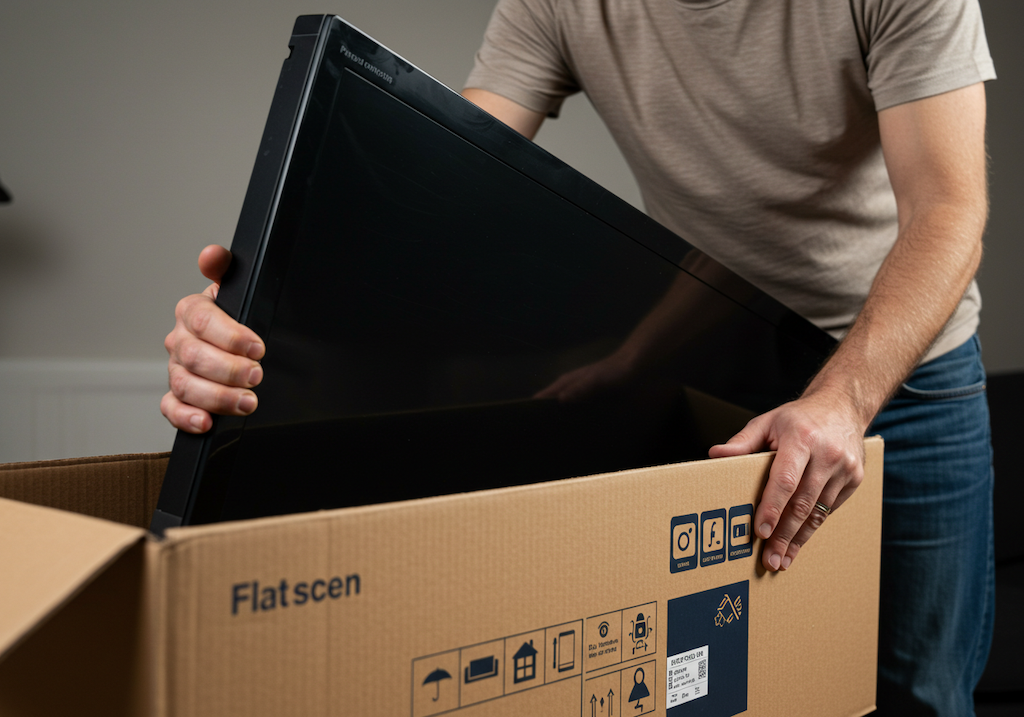
- Lower the television into the original box upright, with one person stabilizing the box and a second person lowering the TV in so neither person is supporting the TV’s full weight unsupported at any point during the process. Slide the TV into the box rather than dropping it in.
- Fill any remaining void space inside the box with crumpled packing paper, rolled moving blankets, or foam sheeting so the television cannot shift when the box is tilted. Shake the closed box gently and confirm no movement is detectable inside before sealing.
- Place two to four silica gel packets inside the box before sealing if the television will be in a moving truck for more than a few hours or going into storage, to absorb moisture during the transit or storage window.
- Seal the box with packing tape on all seams and label all four sides and the top with FRAGILE, THIS SIDE UP, and DO NOT STACK in permanent marker.
How to Pack a TV Without the Original Box
Most households do not keep the original TV box after installation, and a television can be packed safely for a move without it using a purpose-made TV moving box or, as a last resort, a combination of moving blankets and mattress positioning in the truck. The step-by-step method below applies to a purpose-made TV moving box sourced from a moving supply retailer.
Step-by-Step: TV Moving Box Method
- Select the correct TV moving box size based on the diagonal screen measurement. The box should be sized so the television fits with no more than two to three inches of space on each side for void fill. A box significantly larger than the television creates too much room for the TV to shift even with void fill applied.
- Slip the flat-screen TV cover over the screen if available, or lay a clean microfiber cloth over the screen surface as a barrier layer.
- Wrap the entire television with two to three layers of bubble wrap, covering the screen, back panel, and all four edges. Wrap the back panel and edges first, then the screen, and secure all layers with mover’s stretch wrap. Keep all tape and stretch wrap away from the screen surface.
- Place foam corner protectors on all four corners and secure them with a final layer of mover’s stretch wrap so they cannot shift off the corners during the boxing process.
- Wrap the fully protected television in a moving blanket as the outermost layer, folding the blanket around the TV as you would wrap a large package and securing it with mover’s stretch wrap. According to Extra Space Storage’s packing guide, this outer blanket layer adds a second cushioning barrier and prevents the bubble wrap from tearing against the box interior during transit.
- Stand the boxed TV upright with one person holding the box open and a second person lowering the wrapped television in. Many purpose-made TV moving boxes are two-piece expandable designs; if using this style, slide the inner box section over the top of the TV from above with the TV standing upright, then slide the outer section over from the bottom and join the two pieces at the center.
- Fill all remaining void space with crumpled packing paper, rolled towels, or foam sheeting. Test for shifting by gently tilting the sealed box in both directions and confirm no movement is detectable before applying the final tape seal.
- Place two to four silica gel packets inside before the final seal if transit is longer than a few hours.
- Seal all box seams with packing tape and label all four sides and the top: FRAGILE, THIS SIDE UP, DO NOT STACK.
How to Pack a TV Without Any Box
Packing a television without a box is the method of last resort and should only be used when no appropriate box is available and the move must happen on the same day. Wrap the cleaned television in two to three layers of bubble wrap followed by at least two moving blankets as described above, and secure all layers firmly with mover’s stretch wrap. Transport the wrapped television upright in the moving truck wedged between two large flat stable items such as a mattress and a sofa back, as recommended by Home Depot’s TV packing guide, so the television cannot tip or shift during transit. In a personal vehicle, secure the upright wrapped television against the rear seat back with the seatbelt passed over the wrapping. Moving a television without any box provides significantly less protection than a properly boxed TV for any route involving highway speeds or rough road surfaces.
How to Load and Transport a Packed TV
Loading a TV Into a Moving Truck
Load the boxed television last onto the moving truck so it sits at the top of the load rather than under other items. Position the box upright against the truck wall rather than freestanding in the center of the load where it can be knocked over during loading. Secure the box to the truck wall with a moving strap so it cannot tip during transit. Wedge the boxed television between two flat, sturdy items such as a mattress and a dresser back for additional lateral support, filling any remaining gap between the TV box and the surrounding items with a folded moving blanket to prevent the TV box from bouncing against hard furniture edges during the drive. Do not place any other box or item on top of the TV box regardless of how clearly the DO NOT STACK label is marked, since the person loading later in the day may be working quickly and the label needs to be paired with physical positioning that makes stacking impractical.
Transporting a TV in a Personal Vehicle
A boxed television can be transported in an SUV, minivan, or large sedan cargo area upright if the vehicle dimensions accommodate it. Position the box upright against the rear seat back and pass a seatbelt or cargo strap over the box to secure it from tipping forward during braking. If the box must be laid flat due to vehicle height limitations, lay it with the screen side facing up rather than down, since screen-side-up distributes the weight of the back panel and electronics assembly onto the screen panel rather than being supported by the stronger back structure — for this reason, if the box must be horizontal, confirm the TV within the box is oriented so the back of the television faces downward and the screen faces up, per the THIS SIDE UP marking on the box. Drive at reduced speeds on rough roads and avoid hard braking throughout the transit.
Setting Up a TV After the Move
Allow the TV to Reach Room Temperature Before Powering It On
If the moving truck was cold during transit, allow the television to sit at room temperature for at least one to two hours before powering it on. Moving a cold television into a warm room causes condensation to form on the internal circuit boards and panel components within minutes of the temperature change. Powering the television on while condensation is present on internal electronics causes short circuits that produce permanent damage. There is no visible indicator of internal condensation from the outside of the television, so the waiting period is the only reliable protection. This applies most to moves in cold weather, early morning transits in winter, and televisions that spent time in climate-uncontrolled storage before delivery.
Inspect Before Powering On
Before connecting any cables, unwrap the television completely and inspect all four edges and both faces for visible damage. Check the corners specifically, since corner impacts that occurred during transit can crack the internal frame even when the screen itself shows no visible marks at the time of inspection. Note any damage on the moving company’s bill of lading before the driver departs if the move was handled by a professional carrier, since damage discovered after the driver has left without a notation on the delivery paperwork is significantly harder to support in a claim. Photograph any damage immediately after discovery. Reconnect cables using the pre-move cable layout photographs, working port by port from the reference image, and power the television on only after all connections are confirmed seated correctly.
Moving Electronics With Professional Packing Help
For households moving large flat screens, OLED televisions, or multiple electronics with significant replacement value, professional packing provides custom crating and wrapping standards that go beyond what standard DIY packing can achieve for fragile or high-value items. Our packing services page covers how we handle electronics packing, what custom crating options are available for oversized screens, and how our full-value protection options apply to high-value items in transit. For full-service long-distance moves that include electronics handling, our long-distance moving page details how we protect electronics through the full transit from loading to delivery.
FAQ
How do you pack a TV for moving without the original box?
Purchase a purpose-made flat-screen TV moving box in the correct size from a moving supply retailer such as U-Haul, Home Depot, or Lowe’s. Clean the screen, remove the stand, slip a TV cover or microfiber cloth over the screen, wrap the television in two to three layers of bubble wrap secured with mover’s stretch wrap, place foam corner protectors on all four corners, wrap the entire protected television in a moving blanket as the outer layer, and lower it upright into the TV moving box. Fill all void space with crumpled packing paper or foam sheeting so the TV cannot shift, seal the box, and mark all four sides and the top FRAGILE, THIS SIDE UP, and DO NOT STACK. Transport the box upright in the truck secured to the wall with a moving strap.
Can you lay a TV flat when moving?
Laying a flat-screen television horizontal during a move is consistently identified as one of the primary causes of internal panel damage. A flat-screen panel is not structurally designed to support its own weight across its full span while horizontal, and transit vibration while the TV is lying flat produces internal panel cracking that may not appear as visible screen damage until the television is powered on. Always transport a flat-screen television upright. If the TV must be horizontal due to vehicle constraints, orient it with the back of the television facing down and the screen facing up, which places the weight on the structurally stronger back panel assembly rather than on the screen.
How do you pack a large TV over 65 inches for moving?
TV moving boxes in sizes up to 85 inches are available at major moving supply retailers. For a television above 85 inches, contact a moving supply company about a custom-sized box or inquire with a professional moving company about custom crating, which involves a purpose-built wood and foam frame constructed to the exact dimensions of the specific television. For a large TV packed without a custom crate, the wrapping method remains the same as for smaller screens — clean, cover, bubble wrap, foam corners, moving blanket — but two people are required for every step of the wrapping and boxing process due to the weight and span of a large screen, since attempting to wrap or box a 75-inch or larger television with one person risks dropping or torquing the panel during handling.
What TV box size do I need for moving?
TV moving boxes are sized by diagonal screen measurement in inches. Match the box size to the television’s stated screen size. A 55-inch television needs a TV moving box rated for 55 inches, a 65-inch television needs a box rated for 65 inches, and so on. If the stand is being left attached during packing, measure the full height of the television with the stand and confirm the box accommodates that dimension. Most major retailers sell TV moving boxes in three sizes covering small screens under 40 inches, mid-size screens from 40 to 65 inches, and large screens from 65 to 85 inches. Some expandable TV box designs cover a range of sizes by adjusting the box depth at a center seam.
Can you move a TV in a car?
Yes, with the correct precautions. Pack the television fully as described above before placing it in the vehicle. Position it upright in the cargo area against the rear seat back and secure it from tipping forward with a seatbelt or cargo strap. If the vehicle height does not accommodate an upright television, lay the box with the THIS SIDE UP marking facing upward so the back of the television faces downward and the screen faces up. Drive at reduced speeds on rough road surfaces, avoid hard braking, and allow the television to reach room temperature after transit before powering it on if the vehicle was cold during the drive.
Sources Used in This Article
- Home Depot: How to Pack a TV for Moving – Updated April 2026 Supply and Safety Guide
- Extra Space Storage: Tips for Packing and Moving a Flat Screen TV – 2026 Edition
- All My Sons Moving and Storage: Professional Methods for Packing a TV for a Move
- Samsung Support: How to Safely Transport and Pack Your QLED or OLED TV – Official Guidelines
- U-Haul: Packing a Flat Screen TV Without the Original Box – 2026 Equipment Recommendations
- Zippy Shell: 2026 TV Packing Tips – Preventing Screen Cracks During Long Distance Transit